

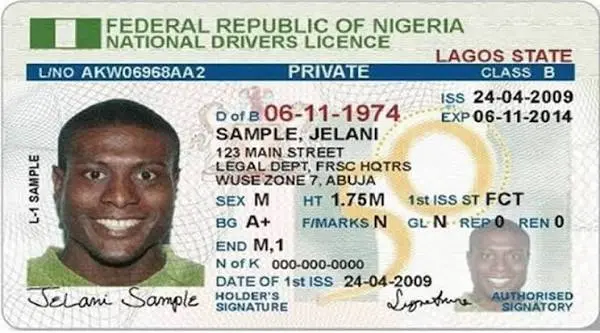
Motorists applying for a Nigerian driver’s licence can now complete several stages of the process online, reducing the amount of paperwork and time required before visiting a Driver’s Licence Centre for biometric capture.
According to information on the Nigeria Driver’s Licence portal, applicants can submit their personal details, make payments and schedule appointments online before appearing at a designated centre for biometric capture.
Before starting the application, applicants must attend a driving school accredited by the Federal Road Safety Corps (FRSC) and obtain a driving school certificate.
Other requirements include a National Identification Number (NIN), a valid means of identification and a recent passport photograph.
After completing the required stages, applicants may be issued a temporary driver’s licence valid for 60 days while the permanent licence is being processed.
Step-by-step application process
- Visit the official portal
Go to the Nigeria Driver’s Licence application portal at nigeriadriverslicence.org. Applicants using a smartphone may need to switch their browser to Desktop Site if the portal does not display properly.
- Start a new application
Select DL Application and then choose New Driver’s License.
- Enter your details
Enter your driving school certificate number and provide the required personal information.
Applicants should ensure that their names and other details correspond with the information linked to their NIN to avoid problems during verification.
- Select a driver’s licence centre
Choose a preferred FRSC Driver’s Licence Centre where biometric capture will be conducted and schedule an appointment.
- Make payment
After booking the appointment, proceed to payment through the Remita payment gateway provided on the official portal.
Depending on the payment options available, applicants may pay by card, bank transfer or USSD.

Applicants are advised to make payments only through the official portal and avoid transferring money to individuals, agents or unofficial platforms.
- Print your receipt and attend the appointment
After completing payment, print the payment receipt and attend the biometric appointment on the scheduled date.
Applicants should take their original documents to the Driver’s Licence Centre for verification and biometric capture.
The online process allows applicants to complete several administrative stages before their physical visit, potentially reducing the time spent at Driver’s Licence Centres.
Applicants should carefully review all information entered during the application process and keep their payment receipts and appointment details for future reference.